Sospita's e-PTW solution transforms paper-based work permits into a fully digital, audit-ready process—combining intuitive forms, AI insights, customizable workflows, and seamless checklist integration to keep high-risk operations safe and compliant.
Customizable Workflows
Configure each step, add dynamic inputs of any type, define authorised user groups for that step action.
Build your own workflow.
Add dynamic inputs.
Use visual editor.
Guided Permit Creation
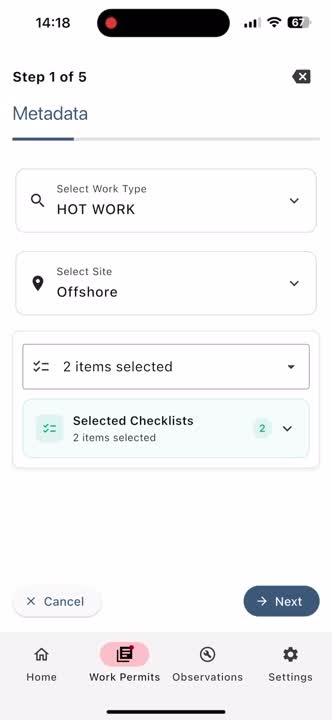
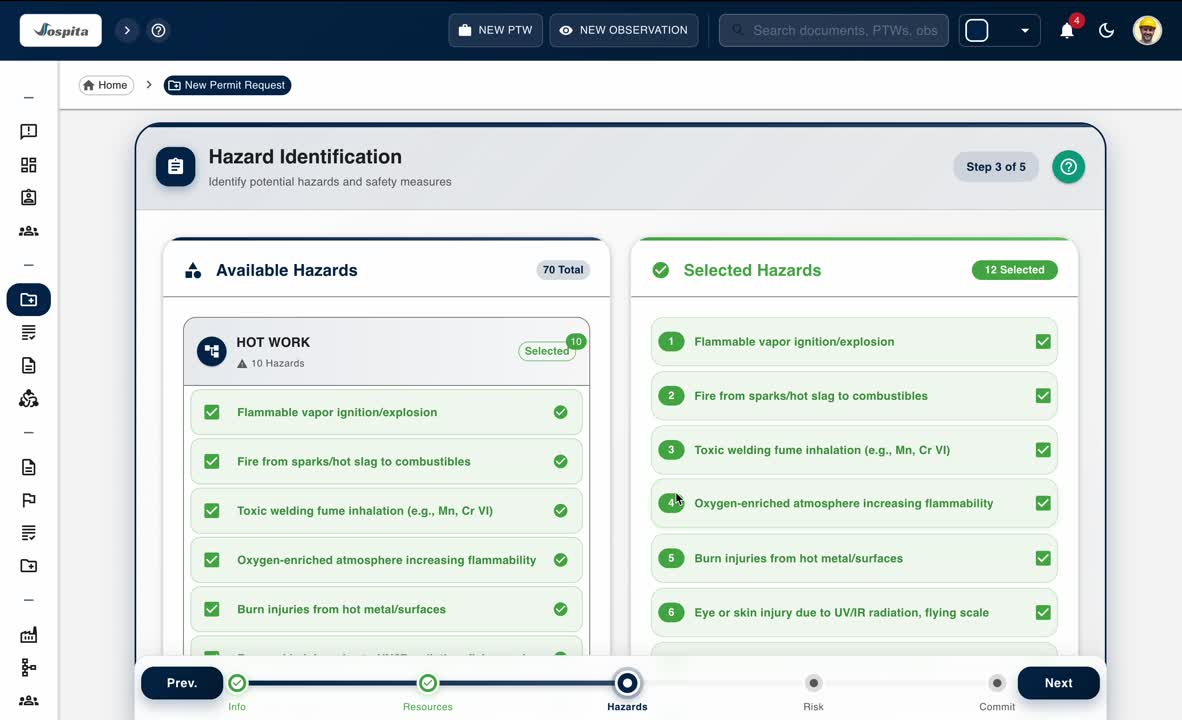
Create permit requests with userfriendly multi step form, attach safety checklists to the permit.
Multi-step wizard.
Embedded checklists - create, edit your own.
Customizable Hazards-Precautions Library.
Performer Certificates Check
Ensure every performer assigned to a job holds valid and up-to-date certifications before work begins.
Instantly view each performer’s certificate list with issue and expiry details.
Identify expired or missing certificates without leaving the permit screen.
Strengthen compliance and accountability through automatic competence visibility.
Residual Risk Review in Permit Context
Give approvers and supervisors a clear picture of remaining risks after all controls are applied.
Expand each hazard to see its residual impact on people, assets, environment, and reputation.
Confirm that applied precautions effectively reduce risk to acceptable levels.
Promote informed decision-making with transparent, data-driven risk visibility.
AI-Powered Reviews
Our AI engine analyzes the permit content to ensure completeness, consistency, and proactive safety thinking before approval.
Reviews PTW comments to assess clarity, relevance, and completeness.
Ensures each identified hazard has a matching precaution.
What-Could-Go-Wrong Insight.
Time stamped actions
See each action - Created, Checked, Approved- time stamped in timeline section with comments at each stage.
Audit ready.
Mobile and web notifications.
Document/comment attachment at any stage.
Centralised PTW Management
Centralised PTW management hub enables searching, viewing on map or on calendar for better planning.